
How to Fix ERR_CONNECTION_TIMED_OUT Error – Causes & Solutions in 2025
You click a link or type a URL…
The browser spins.
Then: “ERR_CONNECTION_TIMED_OUT”
The page never loads. Just a blank screen and frustration.
Have you ever felt that helpless rage, needing information urgently but your browser times out?
Deadlines missed. Research stalled. Entertainment gone.
I’ve been there—trying to book flights during a sale, only for every site to time out. Panic set in.
10 minutes later → browsing normally.
Here’s the good news: 95% of ERR_CONNECTION_TIMED_OUT errors are fixed in under 15 minutes — no tech wizardry required.
In this 2025 guide, we’ll uncover causes and deliver step-by-step fixes for Chrome, Firefox, Edge, Safari. By the end, you’ll load any site instantly. Let’s end the timeouts—you deserve fast browsing!
Why Fixing ERR_CONNECTION_TIMED_OUT Error Matters
This error means your browser couldn’t connect to the server in time—blocking access to websites.
In 2025, with remote work, online shopping, and streaming, timeouts disrupt everything. Missed emails, failed payments, lost productivity.
Mini story: A friend missed a job application deadline because Gmail timed out. Fixed it → got the interview. Why matters? Reliable connections keep life moving. Ready to load pages fast?
Common Causes of ERR_CONNECTION_TIMED_OUT Error
Quick hits:
- Network instability → Weak Wi-Fi/VPN.
- Cache/cookies overload → Browser choked.
- DNS issues → Wrong server lookup.
- Firewall/VPN blocking → Overprotective security.
- Server-side problems → Site down (rare for you).
- Browser extensions → Conflicting add-ons.
Step-by-Step: How to Fix ERR_CONNECTION_TIMED_OUT Error
Start simple—most fix by step 3.
Step 1: Basic Checks and Refresh
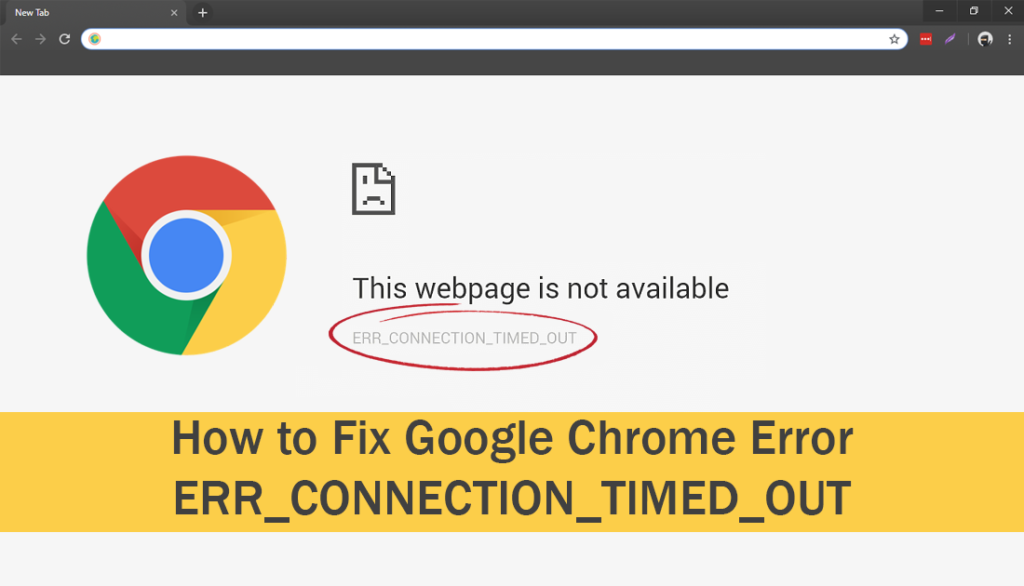
Why? Simple glitches cause 30% of timeouts.
How:
- Refresh page (F5 or Ctrl+R).
- Restart browser.
- Check internet—load another site?
Pro Tip: Test on mobile data vs Wi-Fi—isolate network.

Step 2: Clear Browser Cache and Cookies
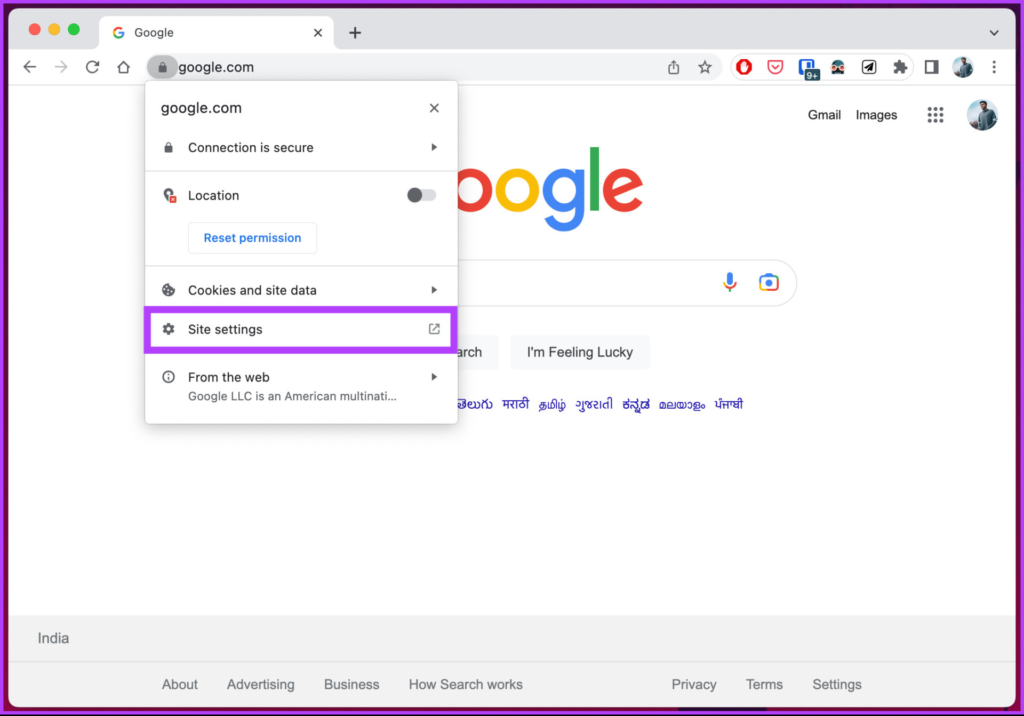
Why? Corrupted cache blocks connections.
How (Chrome):
- Settings → Privacy → Clear browsing data.
- Select “Cached images/files” + “Cookies”.
- Clear.
Firefox/Edge: Similar privacy menus.
Step 3: Flush DNS and Reset TCP/IP
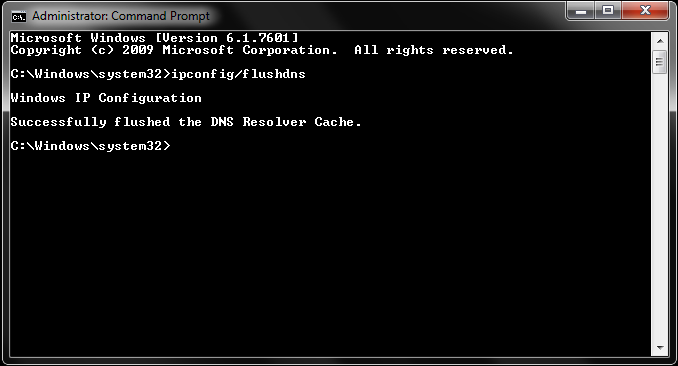
Why? Bad DNS cache causes wrong routing.
How (Windows):
- CMD as Admin.
- Run:
   ipconfig /flushdns
   netsh int ip reset
   netsh winsock reset
- Restart PC.
macOS: System Settings → Network → Advanced → DNS → remove/add Google DNS (8.8.8.8).
Step 4: Disable VPN, Proxy, and Firewall Temporarily
Why? They block or slow connections.
How:
- Turn off VPN.
- Settings → Network → Proxy → Off.
- Windows Defender Firewall → Turn off (test).
Pro Tip: Add site exception if needed.
Step 5: Change DNS Servers
Why? ISP DNS slow/unreliable.
How:
Windows: Network → Properties → IPv4 → Use 8.8.8.8 / 8.8.4.4 (Google) or 1.1.1.1 (Cloudflare).
Step 6: Advanced Browser Tweaks
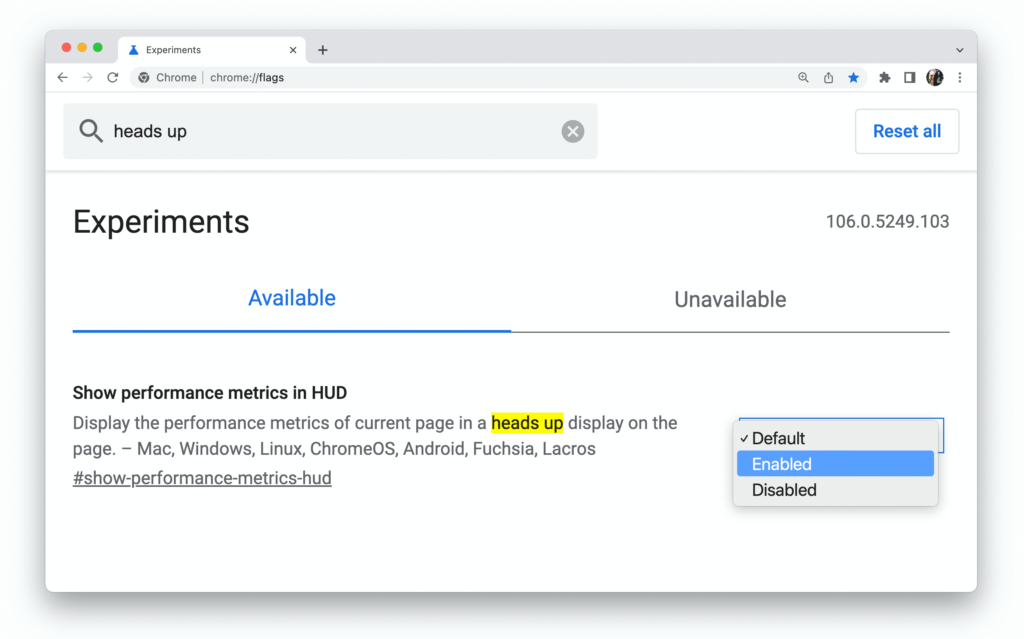
Why? Flags/extensions interfere.
How:
- chrome://flags → reset all.
- Incognito mode test.
- Disable extensions.
Step 7: Server-Side or ISP Check
Why? Sometimes not your fault.
How:
- Test on another device/network.
- Contact ISP if widespread.
Table: Quick Fixes by Browser
| Browser | Top Fix 2025 |
|---|---|
| Chrome | Clear cache + flush DNS |
| Firefox | Extensions + proxy off |
| Edge | Windows firewall exception |
| Safari | VPN off + DNS change |
Pro Tips and Expert Insights
From years troubleshooting:
- Use Cloudflare DNS (1.1.1.1) — fastest, private.
- Case: Client’s e-commerce timed out for customers—VPN issue. Fixed → sales recovered.
- Insider: Test in private mode first—isolates extensions.
Outbound: Google support (support.google.com/chrome/answer/6098869).
Internal: See our [Browser CSS Issues] guide.
FAQs on ERR_CONNECTION_TIMED_OUT Error
Only one site times out?
Server down—check downforeveryoneorjustme.com.
Fixed after restart but returns?
VPN/firewall—add permanent exception.
Mobile data works but Wi-Fi doesn’t?
Router issue—restart router.
ERR_CONNECTION_TIMED_OUT on all browsers?
System network—flush DNS/reset TCP.
How to prevent?
Use reliable DNS + keep browser updated.
Conclusion: Load Pages Instantly Again
We’ve covered cache clears, DNS flush, VPN/firewall, extensions, advanced tweaks.
Key takeaways: Start basic, flush DNS, test incognito.
You now conquer ERR_CONNECTION_TIMED_OUT anytime.
Try one step — clear cache right now.
In minutes, sites will load fast.
No more waiting.
No more frustration.
Just smooth browsing.
Go refresh that page — and watch it load!
#ConnectionTimedOut #ChromeError #BrowserFix #NetworkIssues #InternetTrouble