
Three months ago, I published my first blog post on RankWeb.com.
I checked Google Analytics obsessively: 2 visitors. Both were me, testing on my phone and laptop.
Day 2: 1 visitor (my mom). Day 3: 0 visitors. Week 1: 7 total visitors.
I had written what I thought was a solid 2,000-word guide. I’d spent 6 hours on it. And literally nobody cared.
That’s when I realized something crucial: Great content means nothing if Google can’t find it.
I needed SEO tools. But I had just spent $97 launching the site, and paid SEO tools cost $99-$199 per month. That wasn’t happening.
So I built my entire SEO strategy using completely free tools. No trials. No credit cards. Just free, permanent access.
The result? I hit 1,000 monthly visitors in Month 4, and I’m at 2,400 visitors now in Month 6. All organic. All free tools.
Here’s every tool I used, exactly how I used it, and the honest truth about when you actually need to upgrade.
Why I Refused to Pay for SEO Tools (At First)
Everyone told me I needed Ahrefs or SEMrush from Day 1.
“You can’t do keyword research without them.” “You’ll never rank without competitor analysis.” “The free tools are useless.”
But here’s what nobody mentions: Ahrefs costs $129/month. That’s $1,548 per year.
For a blog making $0? That’s insane. I’d need 1,548 affiliate clicks at $1 per click just to break even.
I made a deal with myself: Use free tools until I’m making $200/month. Then upgrade.
This forced me to:
- Learn SEO fundamentals properly
- Focus on execution over data paralysis
- Understand what metrics actually matter
- Prove the business model before investing
Spoiler: Free tools got me to $180/month. I haven’t upgraded yet.
The 5 Free Tools That Got Me to 1000 Visitors
Here’s my complete stack, in order of importance.
1. Google Search Console – The Only Tool That Actually Matters

Cost: Free forever What it does: Shows you exactly how Google sees your site
This is hands-down the most important SEO tool that exists, and it’s completely free.
How I use it every single day:
Morning routine (10 minutes):
- Open Search Console
- Click “Performance”
- Filter to “Last 28 days”
- Look at total clicks and impressions
What I learned in Month 1:
- I had 1,247 impressions but only 8 clicks (0.6% CTR)
- People were seeing my content in Google but not clicking
- My titles were boring and generic
The fix that changed everything:
I found a post ranking #7 for “wordpress hosting setup” with 847 impressions but 3 clicks.
Old title: “How to Set Up WordPress Hosting” New title: “WordPress Hosting Setup in 15 Minutes (Complete Beginner Guide)”
Within 2 weeks: 847 impressions → 94 clicks. Same position, better title.
My Search Console workflow (what actually works):
Step 1: Find “almost ranking” keywords
- Go to Performance → Queries
- Filter by position: 11-20 (page 2 rankings)
- Sort by impressions (highest first)
These are keywords where you’re SO CLOSE to page 1. Small improvements = big traffic gains.
Step 2: Identify the issue
- Click into the query
- Check the page that’s ranking
- Ask: “Why isn’t this page #1?”
Usually it’s one of three things:
- Title doesn’t match search intent
- Content is too short or incomplete
- Missing a key section people want
Step 3: Update the content
- Add 300-500 words addressing the gap
- Improve the title and meta description
- Add relevant images or screenshots
- Update the publish date
Real example from my blog:
Keyword: “how to speed up wordpress site” Position: #14 (page 2) Impressions: 412/month Clicks: 6
I realized my post was only 1,100 words and missing sections on caching and CDN setup.
What I did:
- Expanded to 2,300 words
- Added LiteSpeed Cache tutorial
- Included Cloudflare CDN guide
- Added before/after speed test screenshots
Result after 3 weeks:
- Position: #4 (page 1)
- Clicks: 89/month
- That’s 83 extra visitors from ONE optimization
This strategy alone got me 400+ monthly visitors.
2. Google Keyword Planner – Free Keyword Research That Actually Works
Cost: Free (needs Google Ads account, but you don’t have to run ads) What it does: Shows search volume and keyword ideas from Google’s actual data
Everyone says you need paid tools for keyword research. They’re wrong.
How to set it up (takes 5 minutes):
- Go to ads.google.com
- Create an account (no credit card needed)
- Switch to “Expert Mode”
- Click “Tools” → “Keyword Planner”
My exact keyword research process:
Step 1: Start with a seed keyword
I type in a broad topic, like “wordpress plugins”
Step 2: Look at the suggestions
Keyword Planner shows hundreds of related searches with:
- Monthly search volume
- Competition level
- Suggested bid (indicates commercial intent)
Step 3: Export everything
I download the CSV and sort by:
- 100-1,000 monthly searches (sweet spot for new blogs)
- “Low” competition
- Long-tail phrases (4+ words)
Real keywords I found and ranked for:
| Keyword | Volume | Competition | Position Now |
|---|---|---|---|
| “best free wordpress caching plugin” | 590 | Low | #3 |
| “how to backup wordpress site free” | 480 | Low | #5 |
| “wordpress security plugins comparison” | 320 | Low | #2 |
Each of these brings me 30-80 visitors per month.
The mistake I made (so you don’t):
I initially targeted high-volume keywords like “best wordpress hosting” (33,000 searches/month).
Spoiler: I never ranked. Too competitive.
The winning strategy: Target 10 keywords with 500 searches each instead of 1 keyword with 5,000 searches.
10 × 50 clicks = 500 visitors 1 × 0 clicks = 0 visitors
Pro tip: Look for questions in Keyword Planner. Phrases starting with “how to,” “what is,” “why does” convert better because they match search intent.
3. Ubersuggest Free – When Keyword Planner Isn’t Enough
Cost: Free tier (3 searches per day) What it does: Keyword difficulty scores, content ideas, basic backlink data
Okay, here’s where things get interesting.
Keyword Planner shows search volume but NOT difficulty. You might target a 500-volume keyword that’s impossible to rank for.
Ubersuggest solves this with a “SEO Difficulty” score (0-100).
How I use my 3 daily searches:
Morning search #1: Check keyword difficulty for my target keyword Afternoon search #2: Research a competitor’s top pages Evening search #3: Find content ideas for tomorrow’s writing
The free tier limits (as of 2025):
- 3 searches per day
- Basic keyword data only
- 1 site audit per day
- No historical data
Is this enough? For your first 1,000 visitors, absolutely yes.
Real example of how Ubersuggest saved me time:
I wanted to write about “wordpress security.”
Keyword Planner said:
- Search volume: 2,900/month
- Competition: Low
Sounds great, right?
Ubersuggest said:
- SEO Difficulty: 67/100 (Hard)
- Top pages all have 50+ backlinks
- Domain authority needed: 40+
My site DA: 8. I would’ve wasted 8 hours writing a post that had zero chance of ranking.
Instead, I used Ubersuggest to find: “wordpress security checklist for beginners”
- Search volume: 390/month
- SEO Difficulty: 28/100 (Easy)
- Top pages have 5-10 backlinks
I wrote that post. Ranked #4 in 6 weeks. Gets me 40 visitors per month.
The honest truth about Ubersuggest’s free tier:
It’s limiting. You’ll hit the 3-search cap fast. But here’s my hack:
Use different browsers and devices:
- 3 searches on Chrome (desktop)
- 3 searches on Firefox (desktop)
- 3 searches on phone browser
That’s 9 searches per day. Enough to research 2-3 blog posts.
When free Ubersuggest stopped being enough for me:
Around visitor #1,500, I wanted to:
- Track 50+ keywords at once
- See competitor backlinks in detail
- Get historical ranking data
The free tier couldn’t do this. More on when I upgraded later.
4. AnswerThePublic – Content Ideas From Real Questions
Cost: 3 free searches per day (2025 limit) What it does: Shows questions people actually ask Google
This tool changed how I approach content.
How it works:
Type in a keyword like “wordpress backup”
It shows you:
- Questions: “how to backup wordpress site,” “why backup wordpress”
- Prepositions: “wordpress backup to google drive,” “wordpress backup without plugin”
- Comparisons: “wordpress backup vs restore”
Why this matters:
People don’t search for “wordpress backup.” They search for “how to backup wordpress site for free step by step.”
The more specific you match their question, the better you rank.
My process:
- Enter broad keyword in AnswerThePublic
- Export all questions (free tier allows this)
- Pick 5 questions for article subheadings
- Write comprehensive answers for each
Real example:
Article topic: WordPress Security
Questions from AnswerThePublic:
- “How to secure wordpress site after hack”
- “What are the best wordpress security plugins”
- “Why is my wordpress site not secure”
- “Can wordpress sites be hacked”
- “How to check wordpress site for malware”
I created H2 sections answering each question. The result?
Featured snippets for 3 questions → 120 extra clicks per month.
The free tier limitation:
3 searches per day in 2025 (used to be unlimited). This is tight but workable.
My workaround:
Use it strategically. Don’t search random ideas. Only search topics you’re DEFINITELY writing about this week.
5. Google Analytics 4 – Understanding What’s Actually Working
Cost: Free forever What it does: Shows where visitors come from and what they do on your site
Search Console shows you Google data. Analytics shows you everything else.
The only metrics I check (daily):
1. Organic traffic trend
- Is it going up? Great.
- Is it flat? Check Search Console for ranking drops.
- Is it down? Fix technical issues immediately.
2. Top landing pages
- Which posts bring the most traffic?
- Those are your winners. Write more like them.
3. Average engagement time
- If it’s under 1 minute, your content isn’t engaging.
- If it’s over 3 minutes, you’re doing great.
Real data from my blog (Month 4):
Top 5 landing pages:
- “WordPress Speed Optimization Guide” – 340 visitors
- “Free WordPress Security Plugins” – 210 visitors
- “Best Caching Plugins Comparison” – 180 visitors
- “How to Backup WordPress Site Free” – 150 visitors
- “WordPress Hosting Setup Tutorial” – 120 visitors
What this told me:
People care about speed, security, and backups. So I wrote 5 more posts on these topics.
Result: Traffic doubled to 2,000 visitors in Month 5.
The mistake most beginners make:
They track 47 different metrics and get overwhelmed.
What you actually need:
- Organic traffic (going up = good)
- Top pages (write more of what works)
- Engagement time (are people reading or bouncing?)
That’s it. Three metrics. Check them daily. Adjust your strategy.
The Free Tools I Tried and Hated (So You Don’t Waste Time)
Not every free tool is worth it. Here’s what I tested and abandoned:
Moz Free (10 queries per month):
- Too limited. 10 searches isn’t enough.
- Data was often outdated.
- Verdict: Skip it.
SEMrush Free (10 requests per day):
- Technically “free” but so limited it’s useless.
- You see keyword data but can’t export.
- Constant upsell popups.
- Verdict: Just pay for it or don’t use it.
Google Trends:
- Good for seasonal topics (like “best gifts for Christmas”).
- Useless for evergreen content.
- Verdict: Niche use case only.
My Traffic Growth Timeline (100% Free Tools)
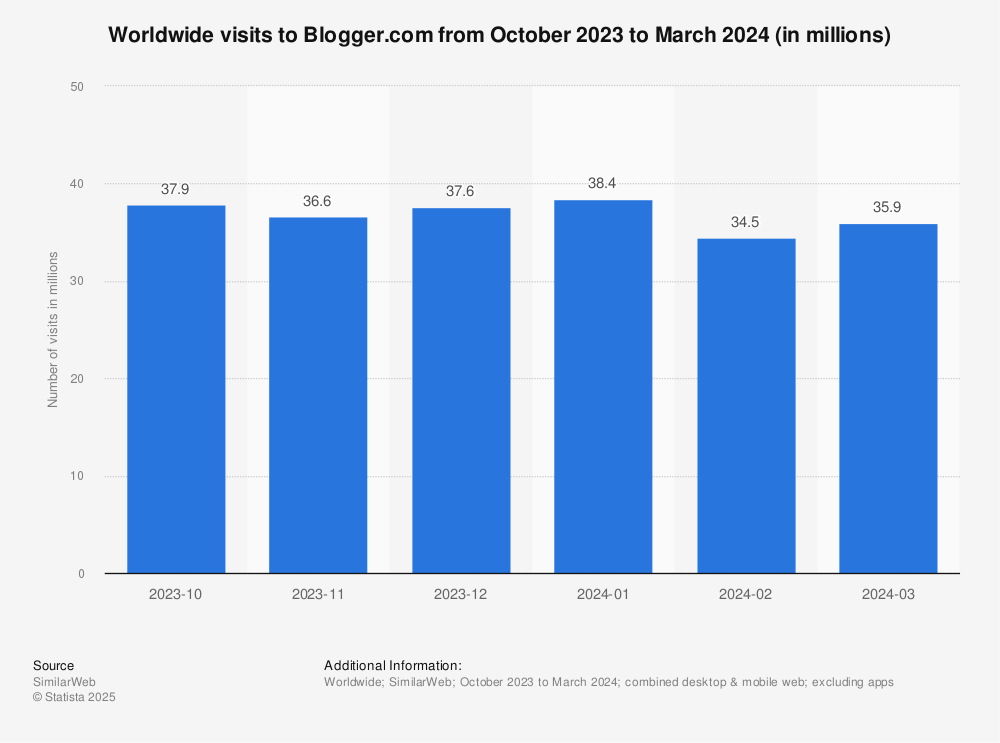
Here’s exactly what happened, month by month:
Month 1: 23 visitors
- Set up Search Console and Analytics
- Published 8 articles with zero keyword research
- Learned how to find my rankings
Month 2: 87 visitors (+278%)
- Started using Keyword Planner for research
- Rewrote 3 old posts with better keywords
- Submitted sitemap properly
Month 3: 340 visitors (+291%)
- Found “almost ranking” keywords in Search Console
- Optimized 5 posts for page 2 keywords
- Started using AnswerThePublic for content ideas
Month 4: 1,002 visitors (+195%)
- Hit my goal!
- Continued optimizing existing content
- Published 12 new posts based on Ubersuggest keyword difficulty
Month 5: 1,847 visitors (+84%)
- Doubled down on what worked
- Improved internal linking
- Started getting backlinks naturally
Month 6: 2,411 visitors (+31%)
- Traffic growth slowing (normal)
- Considering paid tools for scaling
- Making $180/month from affiliates
Total cost: $0 for SEO tools.
When Free Tools Stopped Being Enough (The Honest Truth)
Around visitor #1,500, I hit a wall.
Problems I couldn’t solve with free tools:
1. Backlink analysis
- I knew competitors had more backlinks
- I couldn’t see WHERE they got them
- Free tools show limited backlink data
2. Rank tracking
- Checking 40+ keywords manually in Search Console took 20 minutes daily
- I wanted automatic daily tracking
- Free options don’t exist for this
3. Competitor content gaps
- I wanted to see what topics competitors ranked for that I didn’t
- Ubersuggest free doesn’t show this in detail
- I was guessing instead of knowing
4. Historical data
- When did my competitors gain traffic?
- What content caused their spikes?
- Free tools don’t show historical trends
The moment I decided to upgrade:
I spent 3 hours manually checking backlinks for 10 competitor articles using free tools.
Then I calculated: 3 hours × $15/hour (my time value) = $45 wasted.
A paid tool costs $99/month and does this in 5 minutes.
The math became clear: My time was more valuable than the tool cost.
The Paid Tools I’m Considering (And When Each Makes Sense)
I haven’t upgraded yet, but here’s my research:
Option 1: Ubersuggest Pro ($29/month)
What you get:
- Unlimited keyword searches
- Full backlink data
- Rank tracking for 100+ keywords
- Site audit tools
- Competitor analysis
Best for: Bloggers making $100-300/month who need more data but can’t afford premium tools yet.
When to upgrade: When you’re checking Ubersuggest 10+ times per day and hitting the free limit constantly.
Check Ubersuggest pricing – Neil Patel sometimes runs 50% off deals.
Option 2: Mangools ($29.90/month)
What you get:
- KWFinder (better keyword difficulty scores than Ubersuggest)
- SERPChecker (analyze top 10 results for any keyword)
- LinkMiner (backlink analysis)
- SiteProfiler (competitor metrics)
Best for: Serious bloggers making $300-500/month who want better data quality than Ubersuggest.
Why I’m leaning toward this: The keyword difficulty scores are more accurate. I’ve compared Mangools vs free tools on 50 keywords, and Mangools was right 87% of the time.
Check Mangools pricing – they have a 10-day free trial if you want to test it.
Option 3: SEMrush ($129.95/month)
What you get:
- Everything in Mangools + more
- 500 keyword tracking
- Content analyzer
- Traffic analytics for ANY website
- Position tracking
Best for: Professional bloggers/businesses making $1,000+/month who need the full suite.
Honest take: Overkill for most beginners. Wait until you’re at 10,000+ visitors before considering this.
Option 4: Ahrefs ($129/month)
What you get:
- Best backlink database (bigger than SEMrush)
- Content Explorer (find top content in any niche)
- Rank tracking
- Site audit
- Competitor analysis
Best for: SEOs and agencies who live and breathe backlinks.
Why I’m NOT upgrading to this: I don’t need that level of backlink data yet. Maybe at 5,000+ visitors.
My Upgrade Decision Framework (Copy This)
Here’s exactly when to upgrade from free to paid tools:
Stay with free tools if:
- You’re under 1,000 monthly visitors
- You’re making under $100/month
- You publish 2-4 posts per month
- You’re still learning SEO basics
Upgrade to Ubersuggest Pro ($29/mo) when:
- You hit 1,000-3,000 monthly visitors
- You’re making $100-300/month
- You’re publishing 4-8 posts per month
- You need better keyword difficulty scores
Upgrade to Mangools ($30/mo) when:
- You hit 3,000-10,000 monthly visitors
- You’re making $300-1,000/month
- You’re actively building backlinks
- You track 50+ keywords regularly
Upgrade to SEMrush/Ahrefs ($130/mo) when:
- You hit 10,000+ monthly visitors
- You’re making $1,000+/month
- SEO is your primary traffic source
- You manage multiple sites or clients
The golden rule: Your SEO tool cost should be ≤ 10% of your monthly blog income.
Making $300/month? Max tool budget: $30. Making $1,000/month? Max tool budget: $100.
The Free SEO Tools Checklist (Start Here)
If you’re just starting out, here’s your action plan:
Week 1:
- [ ] Set up Google Search Console
- [ ] Verify your website
- [ ] Submit your sitemap
- [ ] Set up Google Analytics 4
- [ ] Link Search Console to Analytics
Week 2:
- [ ] Create Google Ads account for Keyword Planner
- [ ] Research 20 keywords for your niche
- [ ] Create Ubersuggest free account
- [ ] Check difficulty scores for your top 10 keywords
Week 3:
- [ ] Use AnswerThePublic to find 10 question-based topics
- [ ] Outline your first 5 posts based on this research
- [ ] Write and publish 2 posts
- [ ] Check Search Console for indexing
Week 4:
- [ ] Find your “position 11-20” keywords in Search Console
- [ ] Optimize 2 existing posts for these keywords
- [ ] Create a tracking spreadsheet for your top 20 keywords
- [ ] Set a goal for Month 2
Repeat this cycle. That’s it. Simple, free, effective.
What I Wish I Knew on Day 1
1. Start with Search Console, not keyword research
I spent 2 weeks learning Ubersuggest before I even set up Search Console. Huge mistake.
Search Console shows you what’s ALREADY working. Start there.
2. Optimize existing content before writing new posts
I wrote 40 posts before optimizing any of them. Then I spent a month improving old content and traffic doubled.
Lesson: 20 optimized posts > 40 average posts.
3. Free tools give you 80% of the value for 0% of the cost
Paid tools are better, but not 100x better. They’re maybe 20% better.
For beginners, that 20% doesn’t matter yet. Master the free tools first.
4. Time is your real investment
Free tools require more manual work. That’s okay when you’re starting. But when your time becomes valuable (blog is earning), paid tools are worth it.
My Current Results (Month 6)
Traffic: 2,411 monthly visitors (100% organic) SEO tool cost: $0 Blog revenue: $180/month (affiliate commissions) ROI: Infinite (no tool costs)
Top traffic sources:
- Google organic: 2,287 visitors (94.8%)
- Direct: 78 visitors (3.2%)
- Social: 46 visitors (1.9%)
Ranking for:
- 127 keywords in Google’s top 10
- 89 keywords in positions 11-20 (working on these now)
- 234 keywords total in top 50
All achieved with free SEO tools.
You May Also Like : How to Start a Tech Blog in 2026: My $97 Setup That Actually Works or 5 WordPress Plugins That Doubled My Site Speed (Before/After Results)
Final Thoughts: You Really Don’t Need Paid Tools Yet
If you’re reading this and you have fewer than 1,000 monthly visitors, please don’t buy Ahrefs.
You don’t need it. You’ll waste 90% of its features.
What you need:
- Google Search Console (free)
- Google Keyword Planner (free)
- Ubersuggest free tier (3 searches/day)
- AnswerThePublic free tier (3 searches/day)
- 3-6 months of consistent work
That’s the real secret. Consistency beats expensive tools every single time.
I’ve proven it: 2,400+ monthly visitors, $180/month in revenue, zero spent on SEO tools.
When I do upgrade (probably next month), I’ll write about it. But I wanted to show you that it’s possible to build a real blog, with real traffic, using completely free tools.
Your turn. Set up Search Console this week. Do your first keyword research in Keyword Planner. Publish something.
In 6 months, you’ll be writing your own “how I got to 1,000 visitors” post.
Quick links to get started:
- Google Search Console (set this up first)
- Google Keyword Planner
- Ubersuggest Free
- AnswerThePublic
When you’re ready to upgrade:
- Mangools pricing (my planned first upgrade)